Introduction:
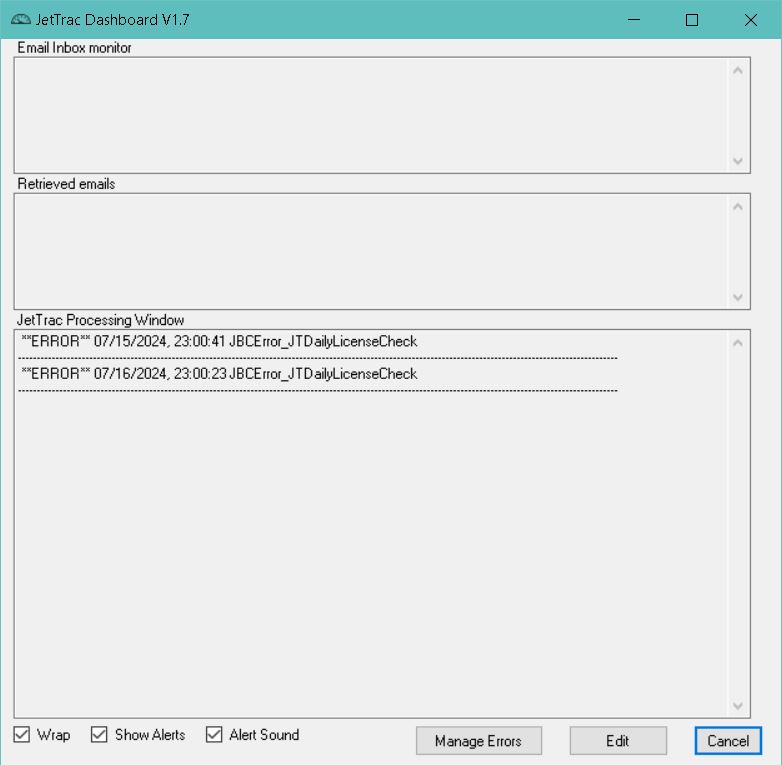
JT Dashboard Main Window
Graphical interface to production processing in JetTrac JobController.
Technical Support:
If you need assistance in installing and configuring JetTrac Dashboard™, call Pro Technology Automation, Inc. at 805-527-1248 or email us at support@protechinc.com. Please note that the JetTrac Dashboard™ license fee does not cover configuration services and technical support so there may be an additional charge. Please ensure you read these instructions carefully before calling for technical support.
How to Run:
To run this program you need these files in the same folder:
-
JTDashboard.exe
-
JTDashboard.bat
-
JTDashboard.ini
-
Exithandler.dll